

In previous LifeBits articles, I’ve discussed several of the early computers I owned… usually for a very short time. By the spring of 1984, I was realizing that the Commodore 64 that I currently owned was really kind of a “toy” compared to the real personal computers that were on the market. I was doing a study for a company vice-president around this time on how personal computers could help our business, and the IBM Personal Computer (AKA “IBM PC” or Model 5150) was making its impact known.
The IBM PC had hit the market in August of 1981, and exceeded all expectations for sales by the computing giant. Rather than selling these machines through their usual sales reps, IBM chose to partner with companies like ComputerLand and Sears. In 1983 alone, the company sold almost 750,000 PCs. One thing that helped drive sales, other than the relatively low price tag starting at $1,565 for a computer with 16KB of RAM, no disk drives, and a color graphics adapter (CGA) card, was the software available for it.
The PC used PC-DOS as an operating system, although those who had used computers before might select CP/M instead. IBM smartly made sure that some of the early blockbuster apps like VisiCalc and EasyWriter — both of which had originally been written for the Apple II — were ported to PC-DOS before the computer debuted.
I remember a saying at the time — “Nobody ever got fired for buying IBM”. In corporations, Apple was seen as a home and educational computer maker, Commodore made toy computers for home use, HP was for scientists and engineers, Tandy / Radio Shack made oddball computers that were sold by the weird guy who never showered who worked at the local Radio Shack store, and Atari was strictly for gamers.
If I was going to buy a PC, it wasn’t going to be an IBM PC. I had only been working for four years by this point, and was doing things like buying a house and car, and starting to travel. For an IBM PC that actually did something, you needed to have at least 128KB of RAM, two floppy drives, spreadsheet and word processing software, and a monitor (usually one of those 640 x 200 resolution monochrome green screens). IBM PCs almost never went on sale, so buying a real “Big Blue” PC with those minimal specs would run over $3,000 (over $10,000 today).
By this point, a number of other companies like Compaq and Columbia Data Products were making “operationally compatible PCs” that ran MS-DOS and were considered true IBM PC clones. Operationally compatible meant that they could run DOS applications with no or few changes, and they could even use peripherals and expansion cards made for the IBM PC. IBM kept a close eye on its BIOS (the chip with software that allowed the machine to boot up and load PC-DOS), but other companies quickly reverse-engineered their own BIOS chips and the compatible market boomed.
Money was an issue at that time of my life, but I really wanted a PC-compatible. One day, while wandering through a local computer store drooling at the hardware and software, I saw a shiny silver computer that really caught my eye. It was a Sanyo MBC-555 PC-compatible.
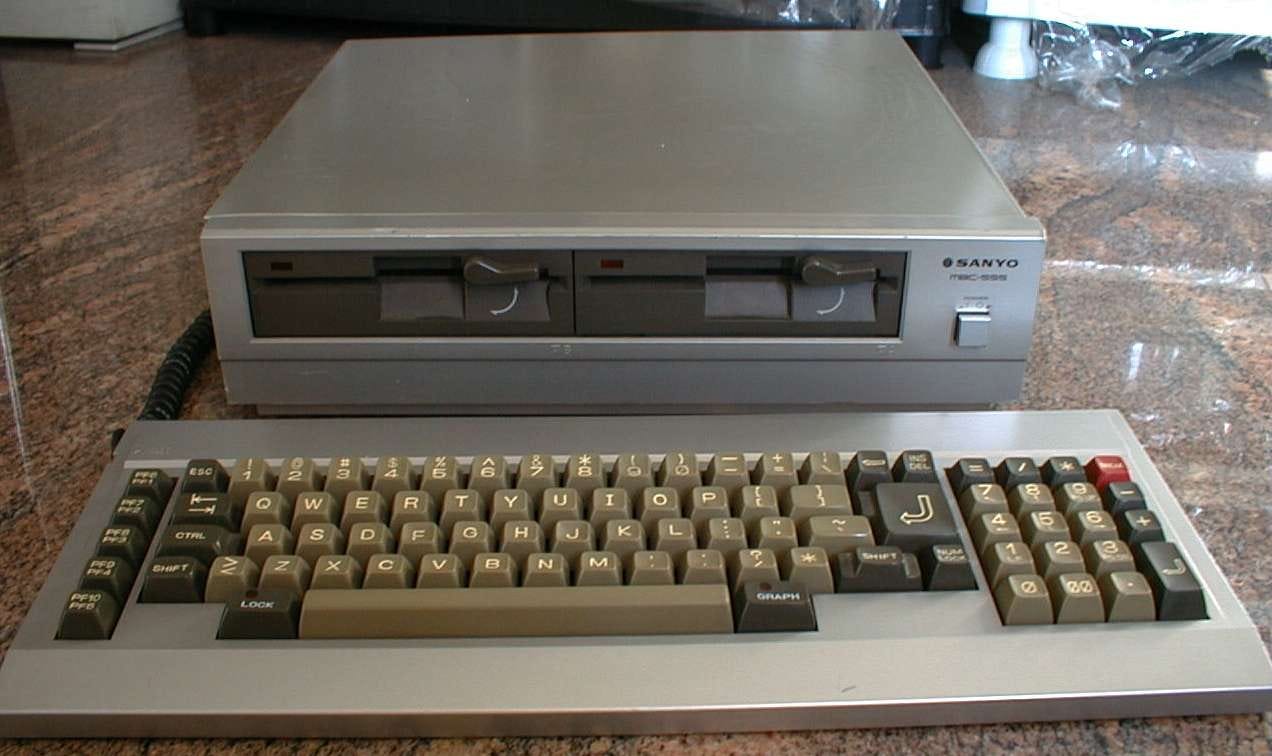
In the 70s and 80s, the Japanese manufacturer Sanyo was primarily known for home audio equipment and car radios, and had just recently entered the US television market. They were a known quantity in consumer electronics and had a pretty good market presence thanks to aggressive TV advertising. What really impressed me, though, was not the brand name or that shiny case of the MBC-555 — it was the price. If I recall, I spent only about $750 (roughly $2,500 in today’s dollars) for a two-disk machine (160KB floppies) with 128KB of RAM. I later populated the motherboard with more RAM chips to expand that to 256KB.
Now, the MBC-555 wasn’t exactly what you would call a “100% PC-compatible” (or operationally-compatible) computer, but I didn’t know that when I bought it. It used a minimal boot loader in ROM (read-only memory) that then loaded a RAM (random access memory) BIOS. The disk format was different from the IBM PC and most PC clones, so it was quite difficult sometimes to get a PC to read a disk from an MBC-550 series computer and vice-versa. It also couldn’t use expansion cards made for the IBM PC.
That didn’t matter, though. What I saw was a computer that was “compatible,” could use the printer and color monitor I already owned (640 x 200 x 8 colors!!!), and it came with a suite of software on diskettes. Any computer geek worth his or her salt back in those days knew about WordStar, which was known for being widely pirated (it wasn’t copy-protected early on), and relatively difficult to use. You didn’t have a mouse or other pointing device at this point, so the keyboard controls (see below) were quite useful.
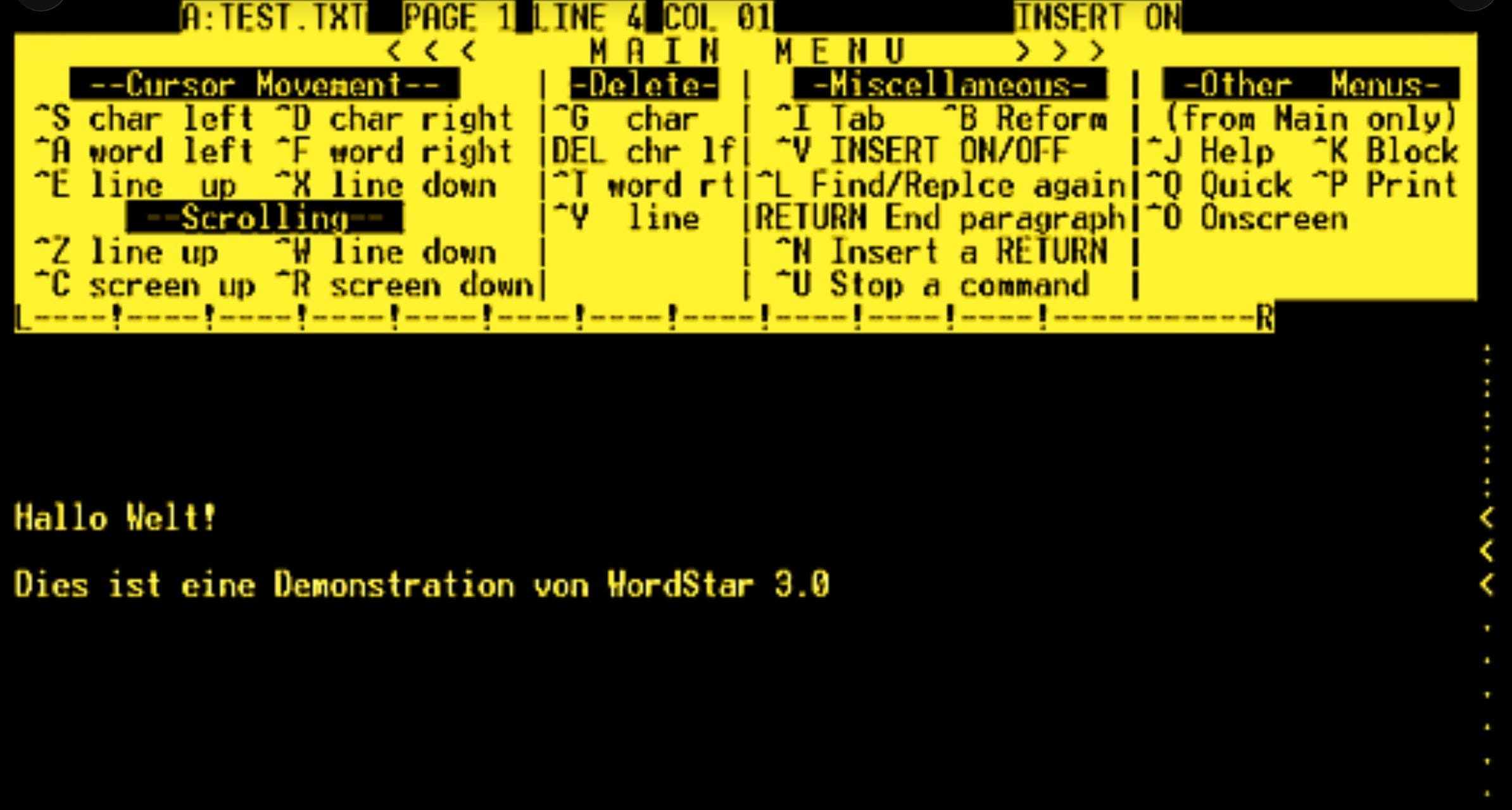
By --Plenz 20:42, 19. Jul 2004 (CEST) - eigenhändig erstellt, und zwar mit einem originalen WordStar 3.0 auf einem CP/M-Emulator unter Windows, CC BY-SA 3.0, via Wikimedia Commons.
WordStar’s manual was horrible, which resulted in a cottage industry revolving around writing “how-to” books showing how to use it. I particularly love a comment made by Stephen Manes of PC Magazine, who famously said "function keys seemed to have been assigned late one drunken Saturday night"1
WordStar wasn’t the only software bundled with the MBC-555. Sanyo apparently paid MicroPro (the publisher) to bundle whatever software they made with the computer. It also came with what was called StarBurst — a full suite of applications. There was a spell checker program (SpellStar, which was later built into WordStar), DataStar (a flat file “database” for creating merge files for mail merge), CalcStar (a very lousy spreadsheet program), and ReportStar (worked with DataStar to create reports from your “database”). It also came with another word processing program — Easywriter — that had originally been the first word processor for the Apple II, and Microsoft BASIC-80.
None of the productivity software was very good, and the command structure for those applications was a pain in the posterior to remember, but it was pretty impressive for the time. 1984 was the first time that I used a computer to create and print out mailing labels for our Christmas cards, although I remember it took almost a week and about 50 pages of misprinted labels before I got them to look good enough to affix to the envelopes!
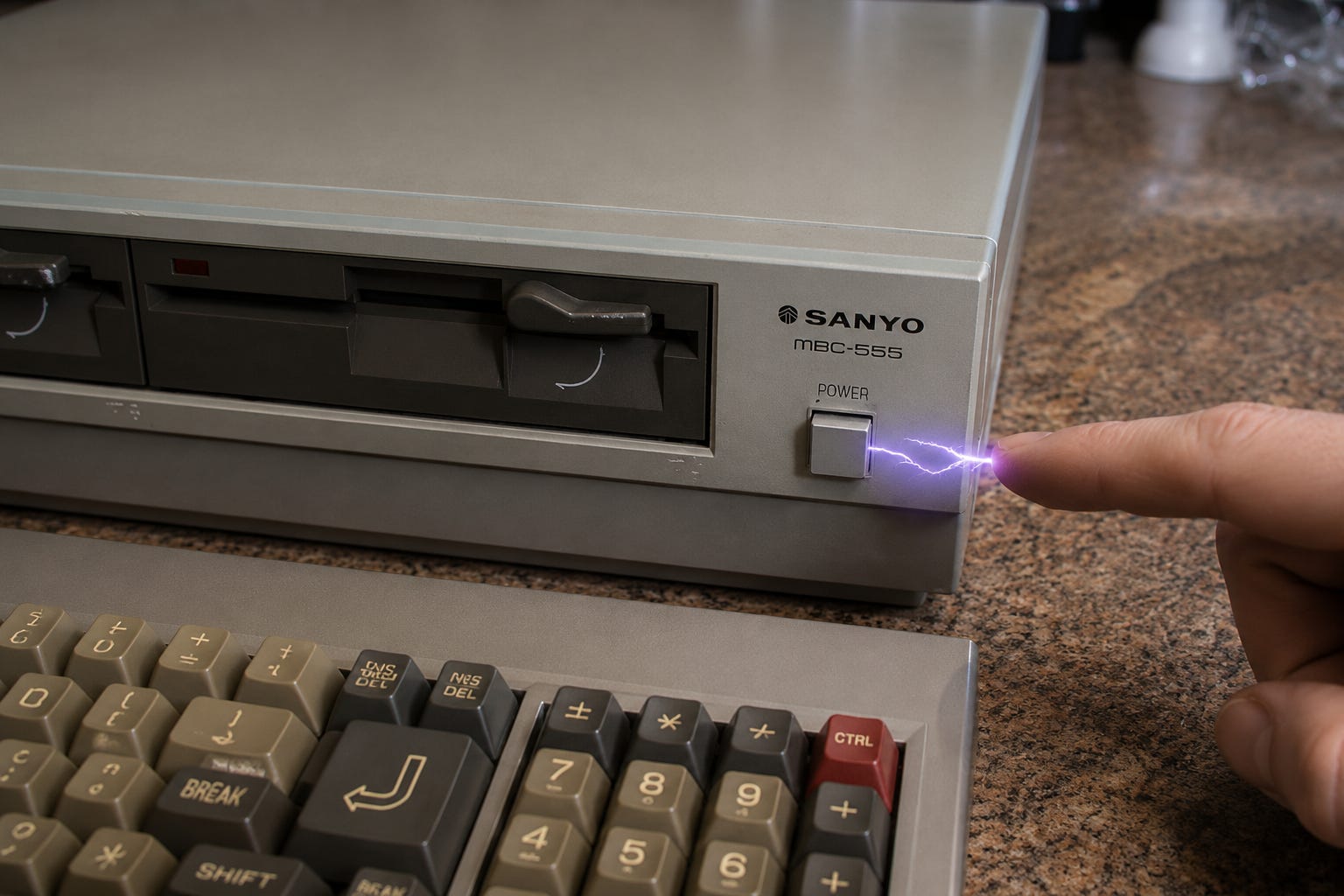
The MBC-555 had one “feature” that I quickly discovered, much to my dismay. The case was made of shiny stamped steel with a chrome finish, and the power button was also metal. Well, I live in Colorado, and it’s usually quite dry thanks to being an arid climate and at high altitude. Almost every time I reached over to turn the machine on or off, I got a nasty static shock! That image at the top of this post is a pretty accurate AI representation of what I was putting up with.
Static shocks are annoying! The voltage of these shocks can be as high as 35,000 Volts, although the amperage is so low that you can’t be harmed. I finally got to the point where I bought and wore a static wrist strap that was connected to the grounding screw on a nearby electrical outlet. Even that didn’t help every time…
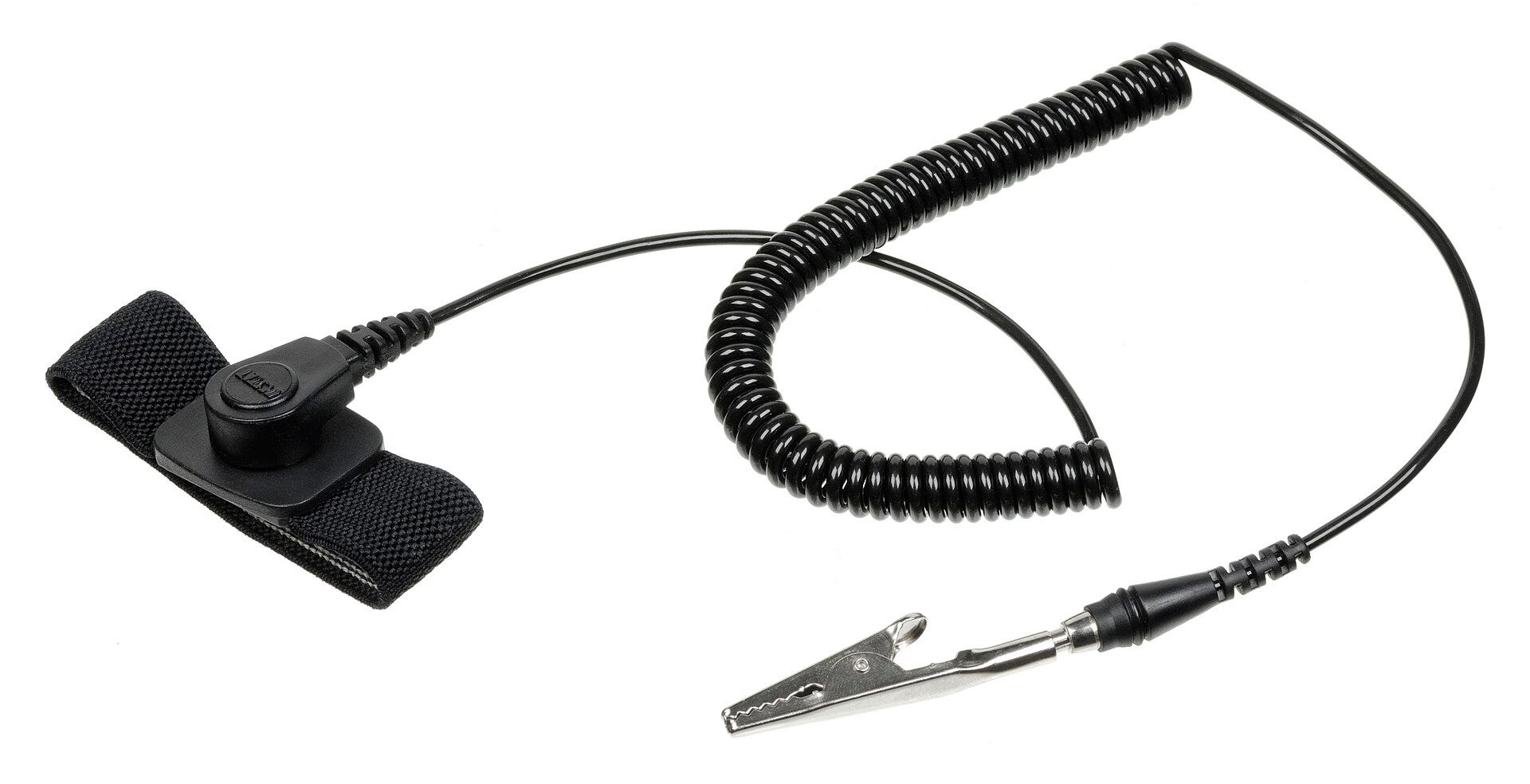
An antistatic guard that attaches to a person's wrist, used when needing to avoid damaging sensitive electronics with accidental electro-static discharge. Public Domain image by Evan-Amos
I hate to admit this, but one of the main reasons that I finally got rid of the MBC-555 less than a year after purchase was that I couldn’t pirate software for it! Yeah, that is a sad reason for not liking a computer, and I justified it by thinking to myself that I couldn’t afford the price of the software. This was before the days of shareware and “pay what you can,” and well before open-source and free software (think OnlyOffice or LibreOffice) started making an impact. I never have been much of a gamer, so the lack of games that were compatible with the MBC-550 series was not an issue for me.
Another reason I dumped the MBC-555 in less than a year? I had a serious desire to own an Apple Macintosh, the amazing computer that had come out in early 1984. I had one very big qualm about the first Mac that kept me from buying one right away - the measly 128K of RAM. It wasn’t until September 10, 1984 that Apple shipped the Mac 512K (AKA “Fat Mac”) and that’s when I began getting serious about buying a Mac. That, of course, set the path for much of my future IT career and will be the basis for several future LifeBits articles.
I learned some very important lessons from my time with the MBC-555. First, low price isn’t everything, and sometimes it’s worth the extra cost to buy something more expensive (and compatible). Second, now that I was able to use a “real” word processing program like WordStar, I started thinking about writing computer books. That’s something that would come to fruition in the period between 2005 and 2015. Third, I realized how limiting the standard keyboard-based computer was compared to the few GUI computers and operating systems that were available at the time (the aforementioned Mac, the ridiculously overpriced Apple Lisa, and some rather poorly done GUIs like Visi On.
The MBC-555 was a shocker to both my fingertips and my perception of what personal computing was all about. Things were about to become very WIMPy around the Sande household…
Did you like this edition of LifeBits? I’d love it if you’d share this retro tech blog with friends and family.
Although I’ve been playing with tech for much of my 68 years, I’m not tired of it and I’m still trying new things. To keep up on today’s experiments in tech, head over to the new LifeBitsBlog website, which is being hosted on a Raspberry Pi computer.
Until next time, be sure to wear your antistatic guard before you try pushing those RAM chips into that expansion card…
Manes, Stephen (June 1983). “WordStar 3.24 and 3.3: MicroPro Does It Again ... And Again”. PC. pp. 391–409. Retrieved 2026-05-22.