

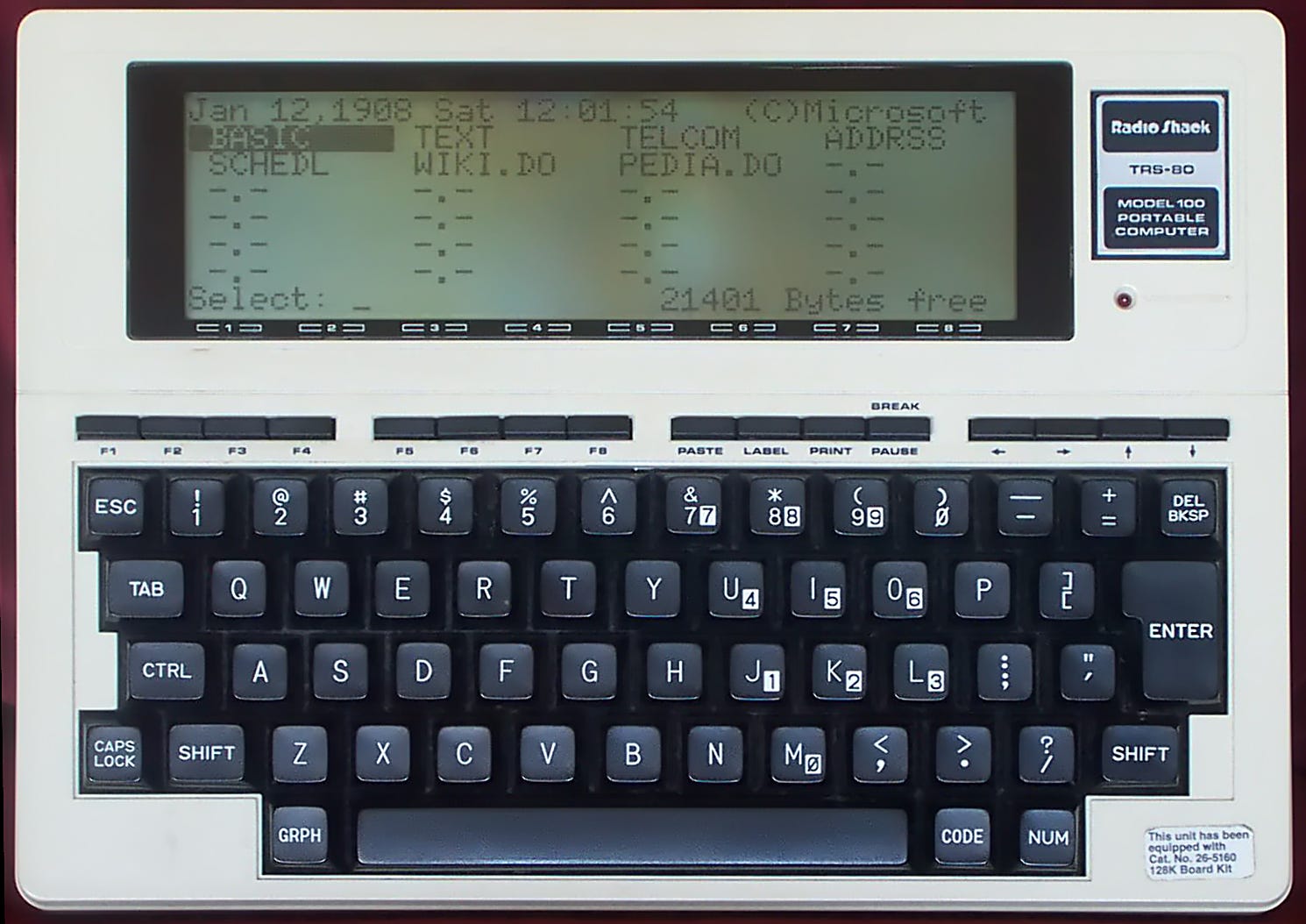
Radio Shack TRS-80 Model 100. Image via Wikimedia. By NapoliRoma - Own work, Public Domain
As an older person, I am trying to declutter my life, so I turn away from the addictive hobby of collecting a lot of old tech. My “Museum of Obsolete Tech”, for example, is just one shelf above my desk. Sure, I could be like some friends of mine who had every Mac they had ever owned since 1984 — all in working condition, of course — but I never want to have to move all of that stuff.
However, if there was one computer that I owned at one point in my life that I would love to have again, it would be the TRS-80 Model 100. Developed by Tandy (AKA Radio Shack), Kyocera (hardware), and Microsoft (software and OS), this was truly a portable computer.
Announced on April 26, 1983, this computer was 300 by 215 x 50 mm in size (11.8 by 8.5 by 1.97 inches) — almost the size of a US 8.5” x 11” standard piece of paper, but a bit thicker, of course. It was also quite lightweight for the time — 1.4 kg (3.1 lbs) when loaded with the four AA batteries that powered it.
It didn’t run MS-DOS, TRS-DOS (the operating system for several of the Radio Shack computers), or AppleDOS. Instead, when powered up it immediately showed a screen that looked like this:
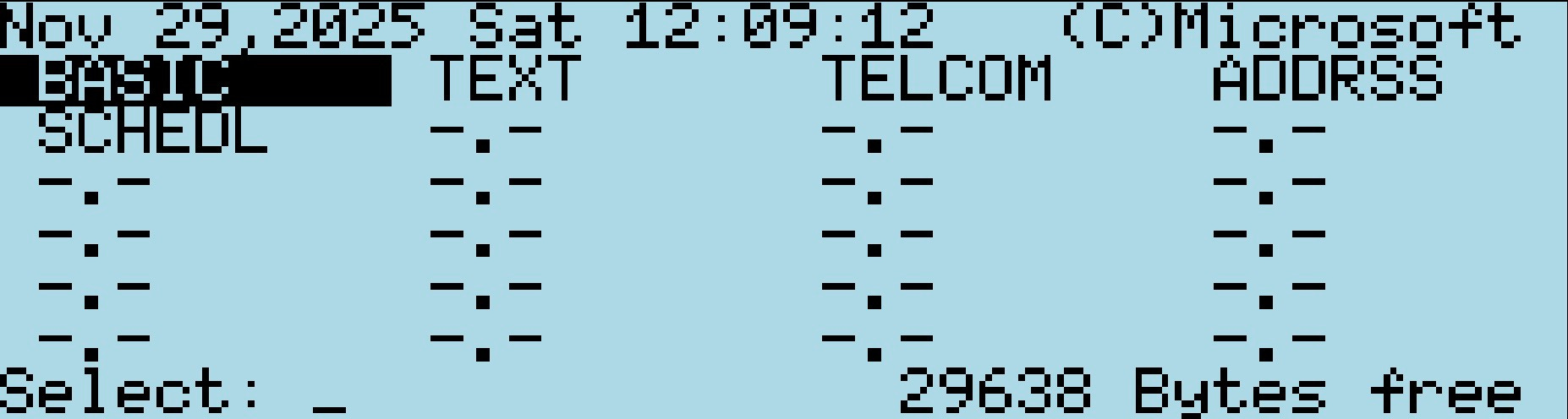
No, I don’t have a Model 100. What you see is a screenshot from an online emulation of the Model 100! Click that link if you’d like to play with this amazing computer… or at least a good facsimile of one.
As you can see, the Model 100 came with five main functions built-in:
BASIC Language Interpreter
Text Editor
Telcom (for using the built-in 300 baud modem to connect to bulletin board systems or act as a dumb terminal to a smarter computer)
Address Book
Schedule (a calendar)
For some reason, I was entranced by the Model 100. Maybe it was the idea of having a full-fledged computer the size of a piece of paper, or the ability to program it in BASIC, but I loved the idea of this thing. However, I really didn’t have the money to spend on yet another computer, but my devious mind thought of a way to have the company I worked for buy one… or more.
These things weren’t exactly cheap! In 1983 dollars, they went for $1,399 for the 24K model, which is about $4,400 in 2025 dollars. That didn’t include the necessary accessories like a printer cable, an acoustical coupler for those places where a landline phone couldn’t be unhooked from the wall, a cassette tape drive for saving and loading programs, and more. The price did drop quite a bit — I remember purchasing most of our Model 100s for about $799.
In the mid-1980s when I first started getting attracted to this amazing little computer, I was looking for reasons to use computers at work. I was also given the job of figuring out how to speed up the processing of our payments to contractors who were building pipelines and compressor and metering stations for the gas pipeline company I worked for.
That’s when I had the idea for a Model 100-based system that would capture the data that field engineers usually entered onto a paper form, send it to our home office electronically, and then be processed. In the meantime, we’d also have an idea of how our construction projects were progressing… Yeah, I know this sounds pretty mundane given that someone could now probably do this with a smartphone, but at the time, this was a very unique and daring idea.
The idea was pretty simple; I’d write a BASIC program that would prompt the engineer for the paper form information, field by field. Once entered it, it was saved in a file on the Model 100. To upload the info to the office, I took one of our first IBM PCs and set it up as a bulletin board system (BBS). Since the computer was also being used for other purposes by people in our office during the day, I would set it up to host the BBS only between 4 PM and 8 AM. It was at this time that I got the idea of running my own BBS; the link in one of the earlier paragraphs goes into detail about MAGIC, the system I ran for many years in the pre-internet days.
I won’t bore you with the details of how the “Automated Construction Project Management System” worked. I wrote and presented a paper at an Institute of Gas Technology (now GTI Energy) “Computers in the Gas Industry” conference during the late 80s, and if you’re so inclined you can read a scanned copy here. Oh, and in 1986 I managed to persuade the company to purchase six Model 100s along with the necessary accessories. Five were for the field engineers, the sixth was for me to use in creating the necessary software and to play with.
Back to the original use case for these computers. During the first construction season (between about May and October), the field engineers enthusiastically used the Model 100s and we were getting good timely data from them. I remember hosting a post-season meeting to get complaints, compliments, and ideas for improving the system. Common complaints were just how long it took to fill out the digital “form” (it took about the same time as filling out a paper form by hand), the rarity of RJ-11 jacks in some of the motels where the engineers would stay while on a project (which is why we included the acoustical coupler), and the lack of a paper copy of the output.
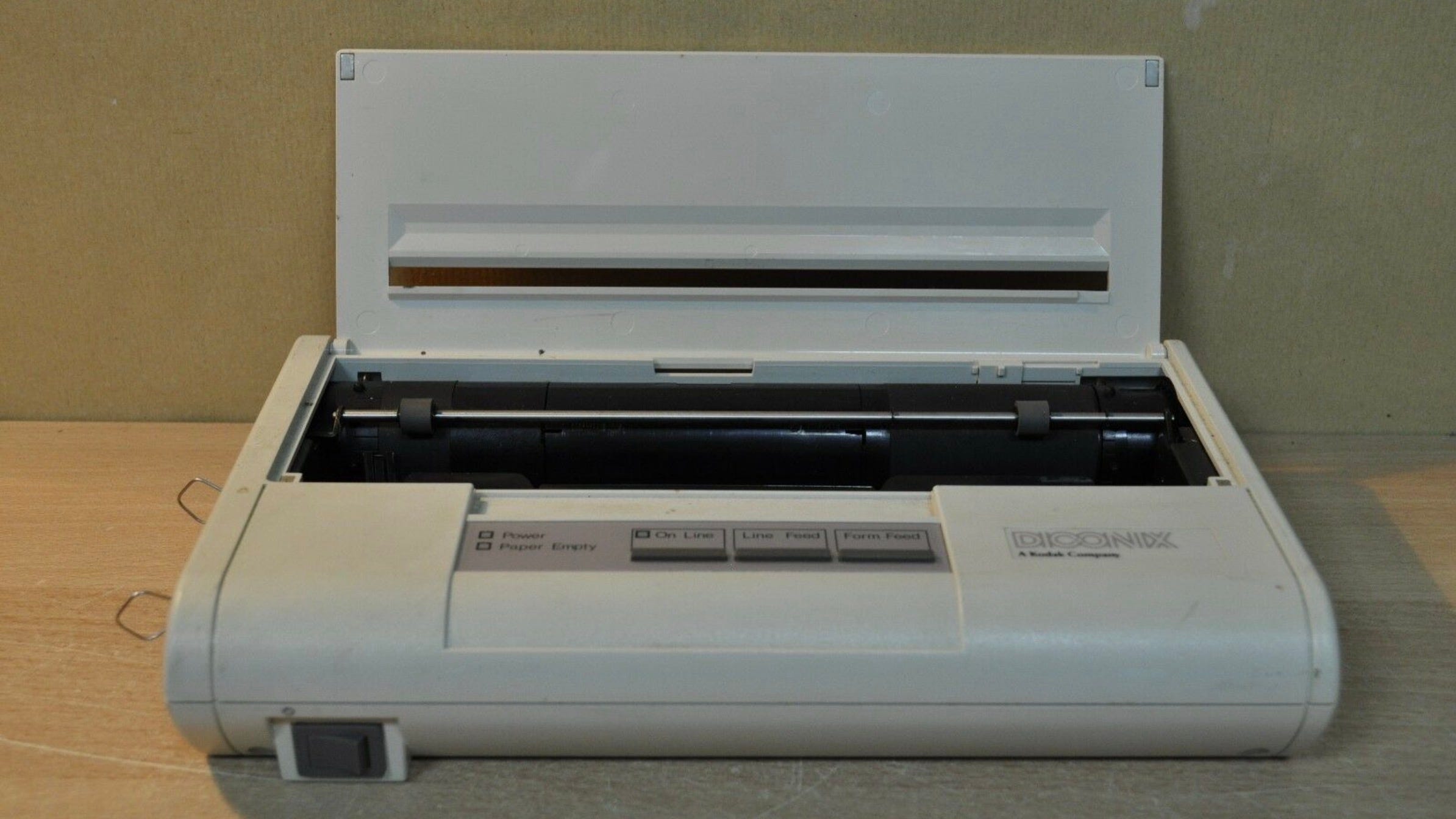
A Kodak Diconix 150 inkjet printer, similar to the ones we used. Image via the Retro PC Store.
The next year, we added small portable printers — the Kodak Diconix 150 (or 150+) inkjet printer. These cost about $400 each and actually weighed more than the Model 100, tipping the scales at around 6 lbs. They could run off of five rechargeable NiCad C-cells or an AC adapter, and printed on regular typewriter bond. That gave the engineers the option to create their own hard copies of daily reports for posterity. We found out that many of them also used the Model 100/printer combo to write letters to send to their spouses — remember that this was in the days just before widespread email!
People who know me know that I love to write, and the Model 100 was the first computer that made it possible for me to write anywhere. So function #2 on that earlier list — the text editor — was amazing to me:

Authors, and especially newspaper reporters, loved the Model 100. For the first time, they could write a story while in the field, then send it electronically to the newsroom. I recall seeing a Denver-area sports reporter still using a Model 100 in the 2000s in the press box at a Major League Baseball game!
Sadly, these wonderful little computers have become a footnote in retro tech history. At least the Model 100 still has those of us who remember it fondly. Some folks are even using the Model 100 cases with a much more powerful computer inside and a higher resolution (and probably totally unreadable) color display:
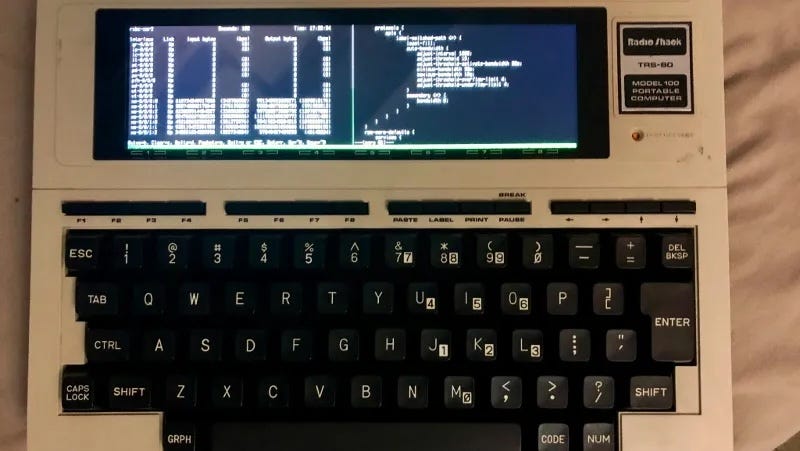
Image via Hackaday
Other enterprising individuals have updated the Model 100 with a Raspberry Pi computer inside, and a 2015 Ars Technica post has details on how writer Sean Gallagher used a Raspberry Pi as the interface between a Model 100 and the internet!
Of course, truly portable laptop computers would soon be pushing the Model 100 into retirement. By 1991 Apple released the PowerBook 100, which was the first really useful laptop that was about the size of the Model 100! But in terms of ease of use and ability to do a few jobs very well, the Model 100 remains a favorite of mine.
And that’s it for this LifeBits post! If you’re the kind of person who likes to read about “ancient technology history”, could you please Like this post by clicking the heart shaped icon(♡) at the top of the page? To get this bit ‘o history in your email inbox on the occasions where I’ve had the time to write an article, consider subscribing to LifeBits for free!
Until next time… give some of your ancient technology a bit of love!
Andy, if that ZX80 still works, you might be able to sell it on eBay to someone who is nostalgic for membrane keyboards and 1K of RAM! If you have an expansion RAM pack for it, someone will probably jump on buying that classic machine.
I’m pretty sure ourZX-80 still resides in the basement. We never bought a printer for it. We had an old TV that served as the monitor. When it was all ready to go, my husband & daughter began to learn Basic.