


Image generated by ChatGPT (OpenAI) using the DALL·E model... which explains that the word “Park” in National Park on the fake t-shirt is garbled.
I have always had an affinity towards computers named after fruit. After all, I spent most of my tech career using and supporting Apple products. I wrote a number of mainstream books about Macs, iPhones, iPads and the various Apple operating systems, and have written literally millions of words of helpful and informative articles about those products online. At one point I was an Apple Certified Consultant and involved at the national level with the Apple Consultant’s Network.
So I guess it’s not strange at all that I am really enjoying using another computer platform named after fruit: Raspberry Pi. If you’re not familiar with these low-cost computers and “microcontrollers”, here’s a quick primer…
They were initially developed in the United Kingdom by a group called the Raspberry Pi Foundation to create a low-cost computer for use in schools. Thanks to the fact that they’re inexpensive, these single-board computers became popular with hobbyists who started using them for home automation and special projects, and have since spread to a larger audience including companies using them for industrial purposes and robotics. Some are actually being used to control satellites and there are Raspberry Pis on the International Space Station. As of March of 2025, over 68 million of these computers had been sold.
Now you might be asking why the heck I am writing about a current-day computing platform when this blog is supposed to be all about retro computing. Well, there’s something about these cheap computers that has a retro feel to it. Using one for just about any purpose has the feel of being a tech pioneer (or should that be Pi-oneer?) back in the 70s.
What’s my interest in Raspberry Pi? Well, with one of these computers you can do things that you wouldn’t normally buy a separate computer for. Why use an expensive computer to (for example) create time-lapse movies of the weather when a cheap one does the job just fine?
I first got fascinated with these computers in 2012, when the $35 “Model B” appeared on the market. Sure, it wasn’t much - just a circuit board with an SD card reader (used for storage), a processor, a few USB ports, and a port for connecting a monitor. A case (a small plastic box with holes in the right places) was extra.
Even in the early days, the Raspberry Pi ran a version of the Linux operating system. I was familiar with UNIX and Linux from my days as an Apple network administrator and consultant, so the command line instructions required for many functions were second nature to me. There was a desktop point-and-click environment (like macOS and Windows), but it seemed buggy and slow.
What I found with that original Raspberry Pi was that there wasn’t enough processing power, storage, or RAM to be able to do much productive work. The specs on this original credit card-sized computer? A 700 MHz single-core 32-bit ARM11 CPU, a VideoCore IV GPU, 512 MB RAM and a 26-pin GPIO (General Purpose Input Output) header.
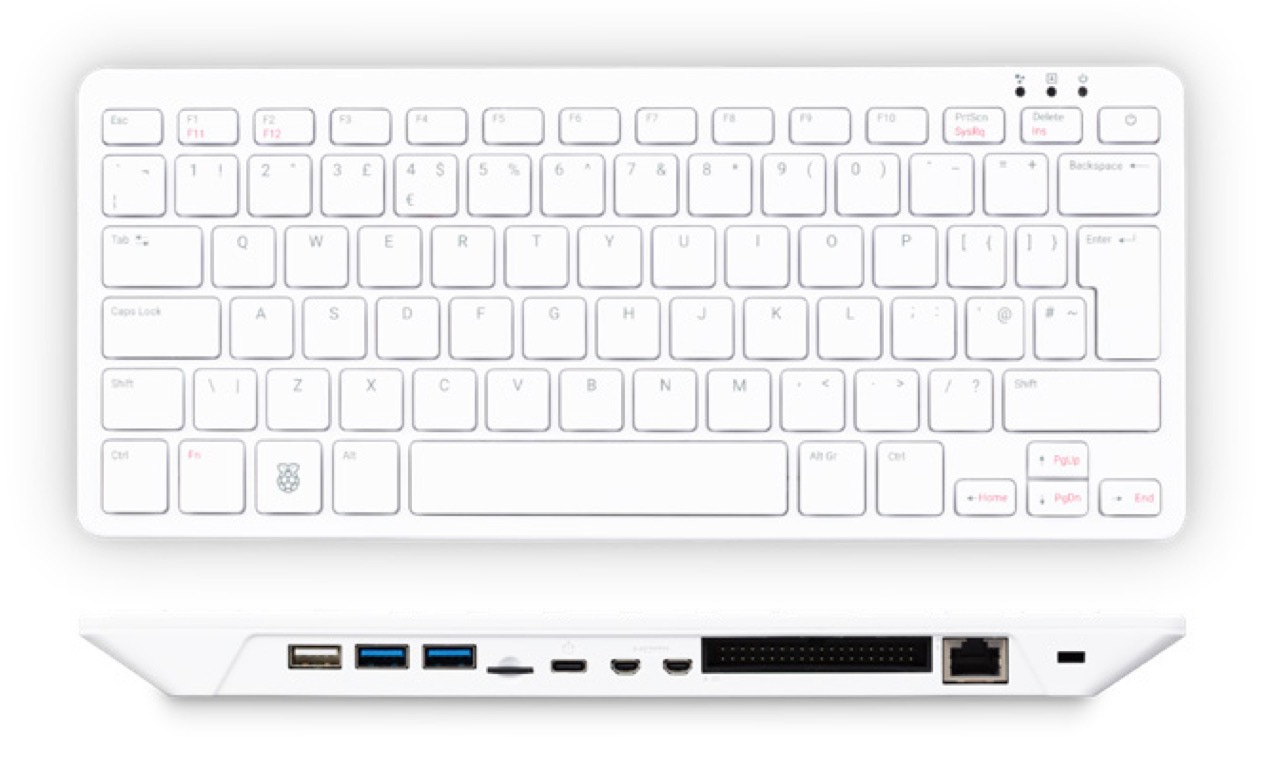
Raspberry Pi 500 computer. Image via RaspberryPi.com
Fast-forward to 2026, and the specifications on my recently-acquired Raspberry Pi 500 computer (a Raspberry Pi built into a pretty decent keyboard, seen in the image above) are as follows:
2.4GHz quad-core 64-bit Arm Cortex-A76 CPU, with cryptography extensions, 512KB per-core L2 caches and a 2MB shared L3 cache
8GB LPDDR4X-4267 SDRAM
Dual-band (2.4GHz and 5.0GHz) IEEE 802.11b/g/n/ac Wi-Fi®
32GB Class A2 microSD included
Bluetooth 5.0, BLE
Gigabit Ethernet
2 × USB 3.0 port and 1 × USB 2.0 port
Horizontal 40-pin GPIO header
2 × micro HDMI® port (supports up to 4Kp60)
H.265 (4Kp60 decode)
OpenGL ES 3.1 graphics, Vulkan 1.3
SD card support: microSD card slot for operating system and data storage
Keyboard: 78-, 79- or 83-key compact keyboard (depending on regional variant)
Power: 5V DC via USB connector
If you’re not a techie and that is all just technobabble to you, let’s just say that this is a pretty darned powerful little computer.
This computer also comes with a mouse and a cable for connecting it to a monitor or HDTV (I have a seldom-used 4K monitor that works quite well). Cost? $120 plus shipping. Compare that to the least-cost Mac desktop machine (a very basic Mac mini with admittedly much better specs for $600), and you’re looking at less than a quarter of the price.
My interest in getting a modern Raspberry Pi grew out a desire to start doing some programming (i.e., teaching myself Python - the “Pi” in Raspberry Pi) and try out some electronics projects. While those ideas are still on the back burner, I’ve also found that for a lot of my needs, this is a pretty darned good desktop computer!
Fourteen years after the first Raspberry Pi hit the market, the machine now has its own flavor of Linux called Raspberry Pi OS. It boots quickly to a desktop familiar to anyone who uses either Windows or macOS. It has its own version of an app store — actually several of them. Believe it or not, with a larger microSD card, this thing can even run a trimmed-down version of Windows 11 (not that I’d ever want to do that…).
While I’ve been familiarizing myself (again) with Raspberry Pi, I’ve quickly learned that they excel at doing what most people spend thousands of dollars on “real” computers for — those general activities that we do every day: Sending and receiving email, surfing the web, even writing documents or creating spreadsheets. I’m very tempted for my next everyday computer to not be another Apple MacBook Pro or even an iPad Pro, but this very same Raspberry Pi 500 (or the new 500+) with its companion $100 monitor.
You can set up your “hard drive” (in this case, that little microSD card) with another computer before you boot the Raspberry Pi for the first time. There’s an app called Raspberry Pi Imager that lets users choose the “flavor” of the operating system that works best on their particular hardware, pre-add network information, add a variety of open-source software like the powerful LibreOffice suite (think of Microsoft Office without the cost and stupid AI “helpers”), and set up an account for Raspberry Pi Connect (which allows remote control of your Raspberry Pi from any web browser), then write that to the microSD card. Connect the Raspberry Pi to power, a monitor, and connect the mouse (and keyboard if it’s not a Raspberry Pi 400, 500 or 500+), press the power button, and seconds later you’re up and running.
I am pretty amazed at what I have been able to do with this “cheap” computer so far! It recognized my Wi-Fi attached Epson printer immediately, which really surprised me since my “real” computers sometimes have issues with printing. I decided to use Thunderbird as my email, address book, and calendar/reminder app, and that was easy to set up. I’m using Google’s Chromium browser instead of the recommended Firefox, just because I do a lot of work with Google Workspace.
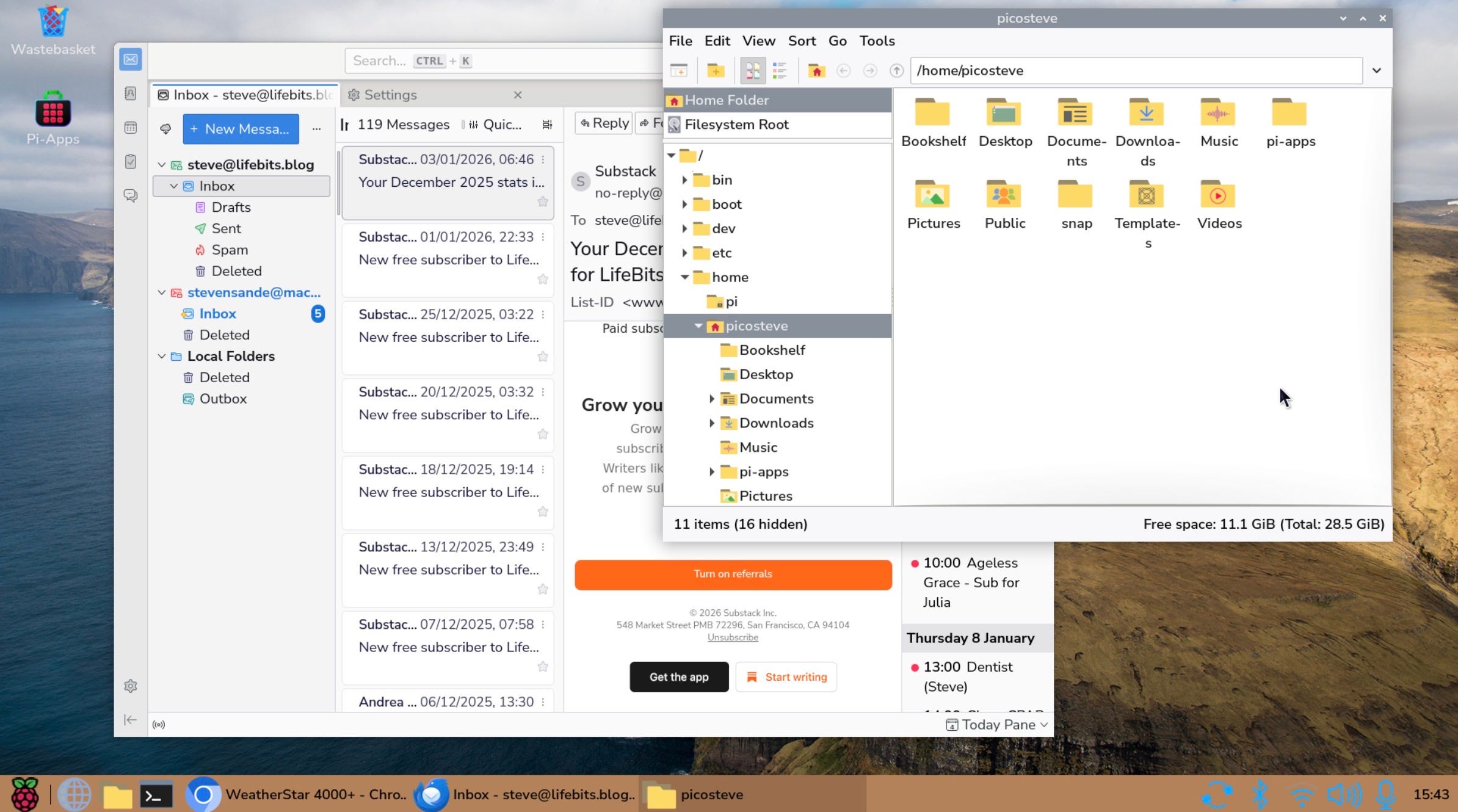
A screenshot of my actual Raspberry Pi desktop.
Need to do Zoom meetings? No problem. I have a monthly team meeting with the staff of the website I administer. Using the Zoom web client, an unused Kensington webcam, and my Bluetooth headphones, I was able to get this set up in minutes.
I even figured out a way to run a web server and blog on this thing… which will be fodder for a future LifeBits post. (I just need to figure out what I need another blog for!)
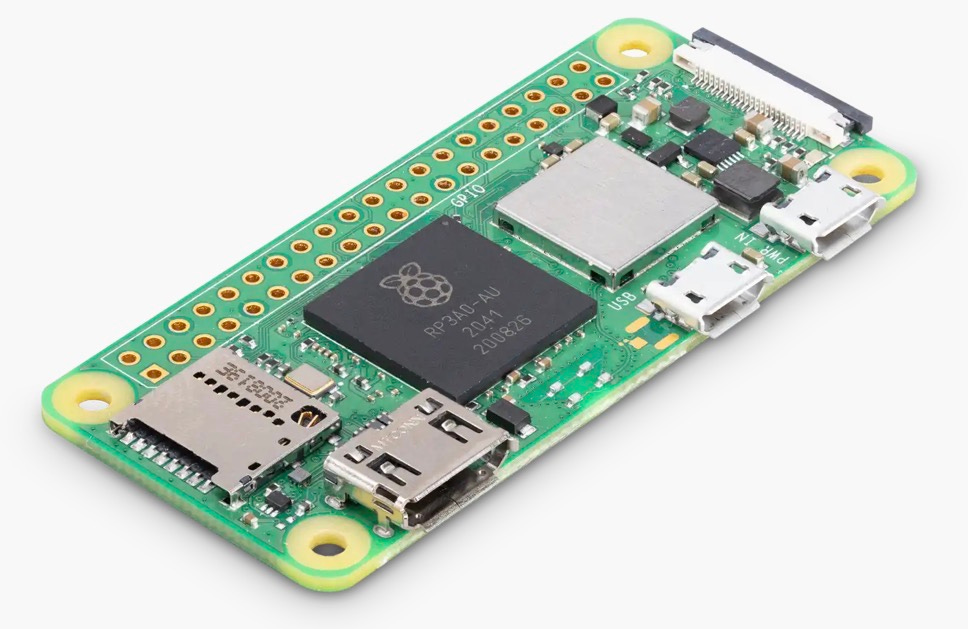
A Raspberry Pi Zero 2 W microcontroller. Image via RaspberryPi.com.
There are other Raspberry Pi products that are simply microcontrollers. These are tiny and very efficient computers that do not run an operating system like Windows, macOS, or Linux. That makes them perfect for electronics projects. Remember that comment about a “weather cam” I made earlier? All that needs is a little computer that is programmed to take a picture every so often and save it into a directory. These microcontrollers can run full weather stations, be the backbone of a music synthesizer, or act as the brains for robotics or home automation setups. Or, as I mentioned earlier, they can even be in satellites, like the GASPACS CubeSat launched into orbit in 2022.
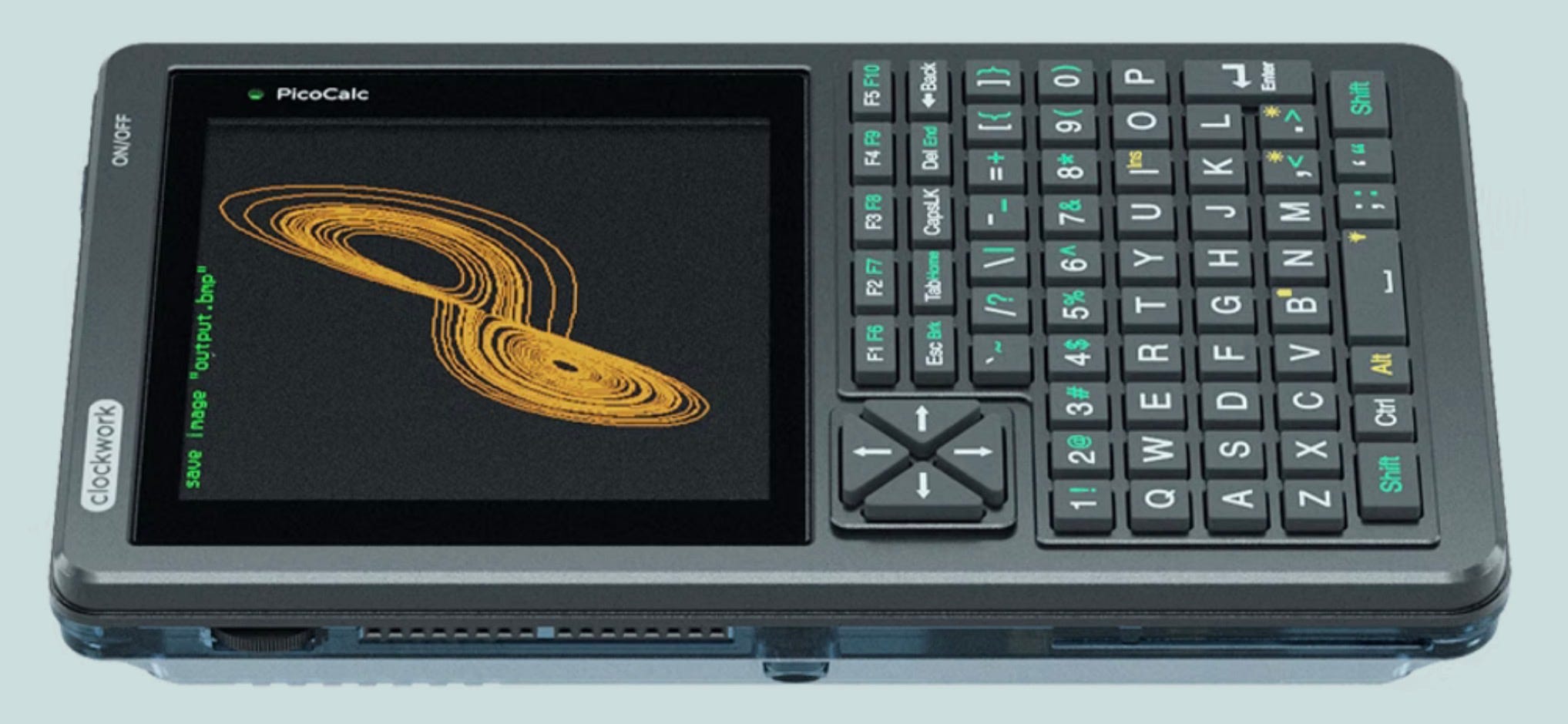
A PicoCalc. Photo via Clockwork Pi.
I almost bought a device called a PicoCalc (see above), which is a Raspberry Pi Pico microcontroller with a little color display and keyboard, set up to run a version of the BASIC programming language that turns it into a very small programmable handheld computer. I got tired of waiting on my order (I think the company must crank these out one at a time), canceled it, and bought the RPi 500 instead… But what a cool little computer! It has all the fun of a Radio Shack TRS-80 Model 100 portable computer but it’s a hell of a lot more powerful.
Summing it all up, I have to say that I think the Raspberry Pi computers, microcontrollers, and ecosystem make up the best products to come out of the UK since the Supermarine Spitfire fighter plane of World War II fame. If you’re interested in “playing” with one but don’t want to spend the money on the full-fledged Raspberry Pi 500 or 500+, here’s a cheap way to start exploring. If you already have a USB keyboard, mouse, a microSD memory card, and an HDMI monitor (or HDTV) laying around, pick up a Raspberry Pi 5 (2 GB) and the recommended power supply for less than $70 and start having fun.
Next time, I promise I’ll be back to reminiscing about old computers and other fun sci/tech stuff — well, until I get it in my brain to write about some fun new project I’m working on.
Did you have fun reading this? If you didn’t, did you at least learn something you didn’t know before you read the article? Both of these are what I’m attempting to accomplish with LifeBits. Be sure to “Like” this post, subscribe to LifeBits for FREE to get this in your email inbox, and even better, be sure to share this post with friends using that button below.
Until next time… come up with some project ideas that you could build with a Raspberry Pi!